Engineers Digital Hub · Mac · Out now

The desk half of the job, in one window.

One Mac app that sits beside your analysis package all day: design checks that show their working, a frame solver, drawing mark-up, the reference shelf, and the registers and naming that eat the rest of the week.

Works offline No account No server to encrypt to

Free to download Much of it is free forever. Full access to the engineering tools is £9.99 / month or £99.99 / year, with 14 days free.

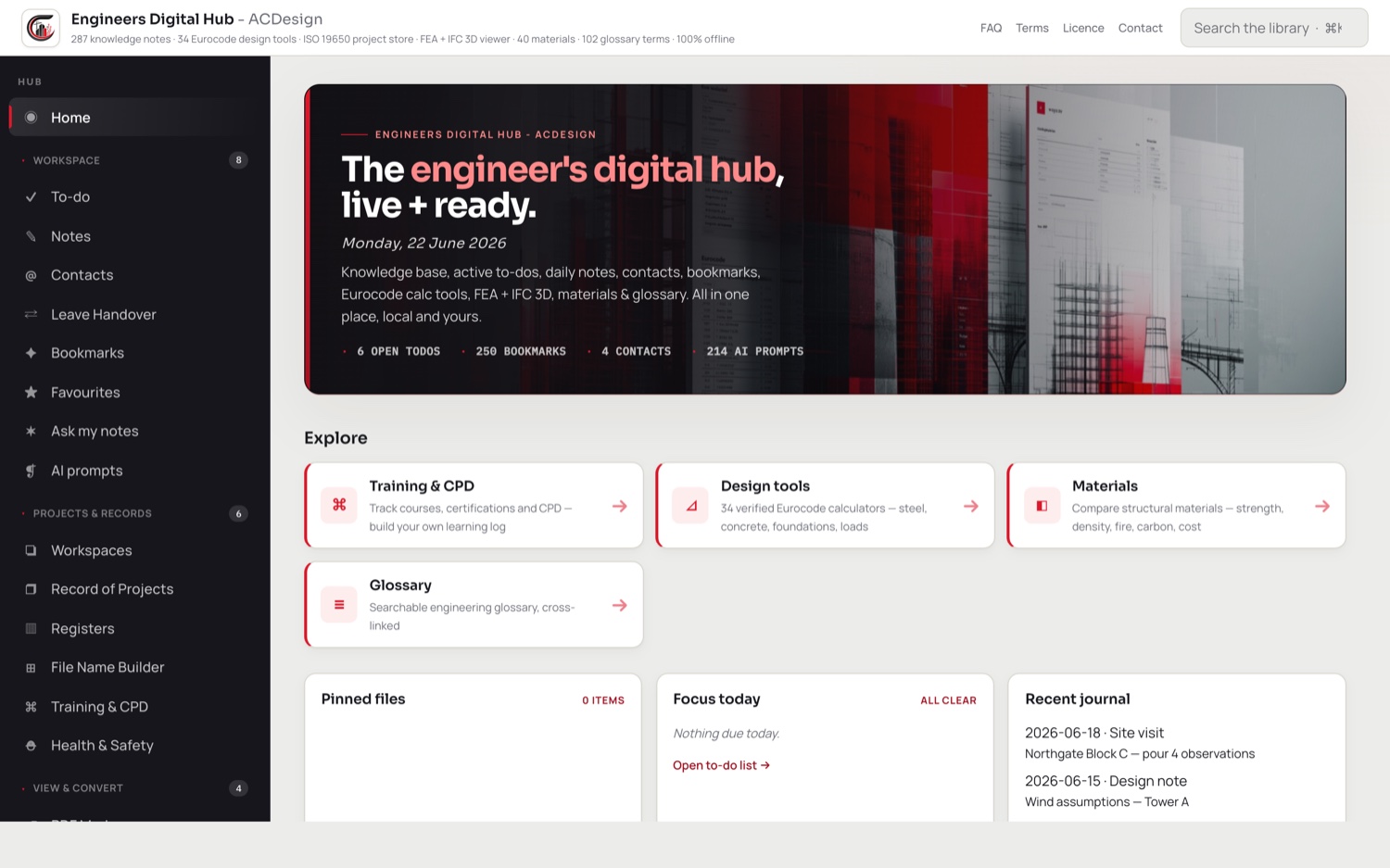
The Engineers Digital Hub home screen on a Mac
54design calculators across nine disciplines
2,053steel section entries, UK, EU and US
287knowledge-base notes
214AI prompts, tagged to five role levels
131folders in the built-in ISO 19650 template

The calculators

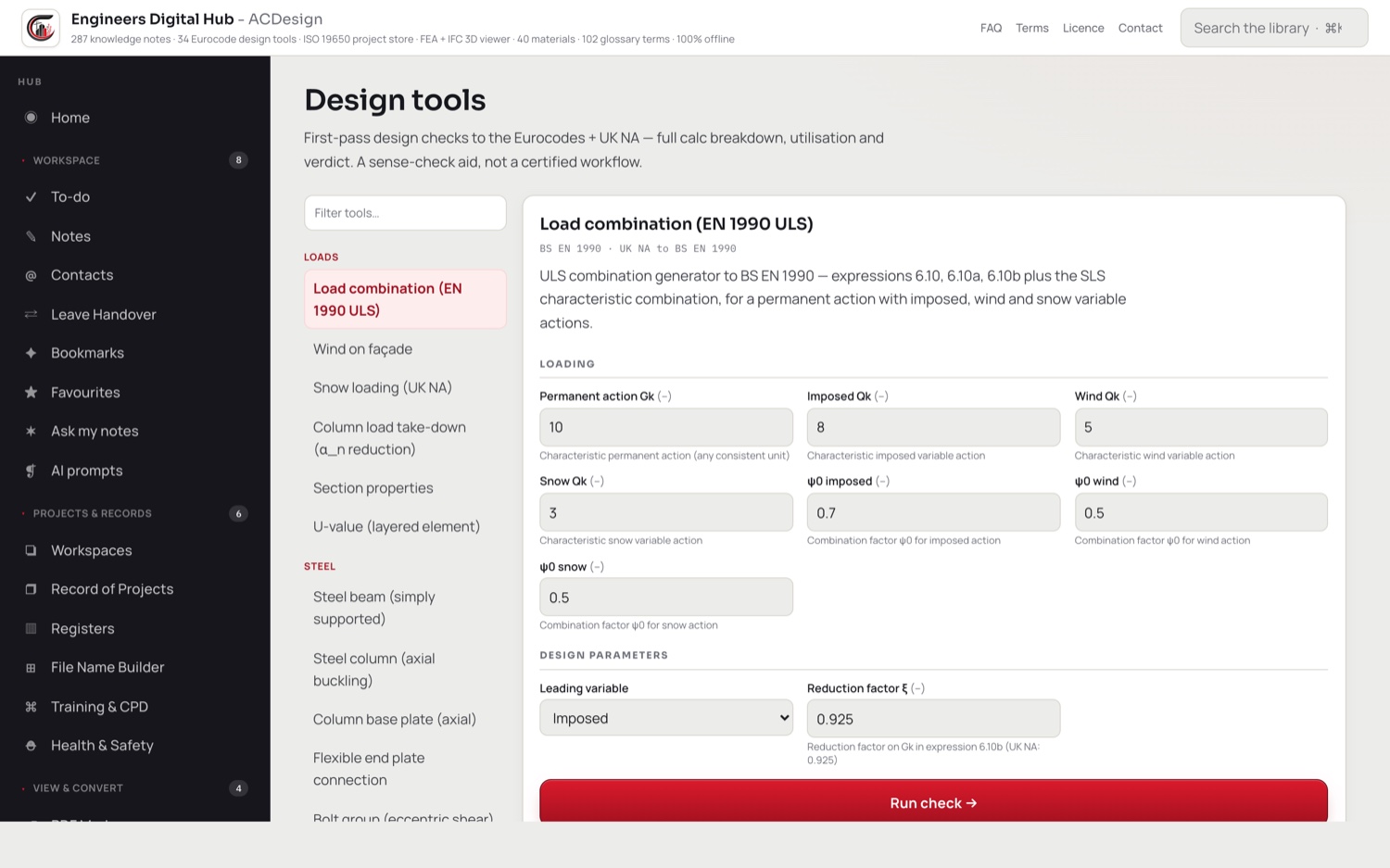
Fifty-four checks that show their working.

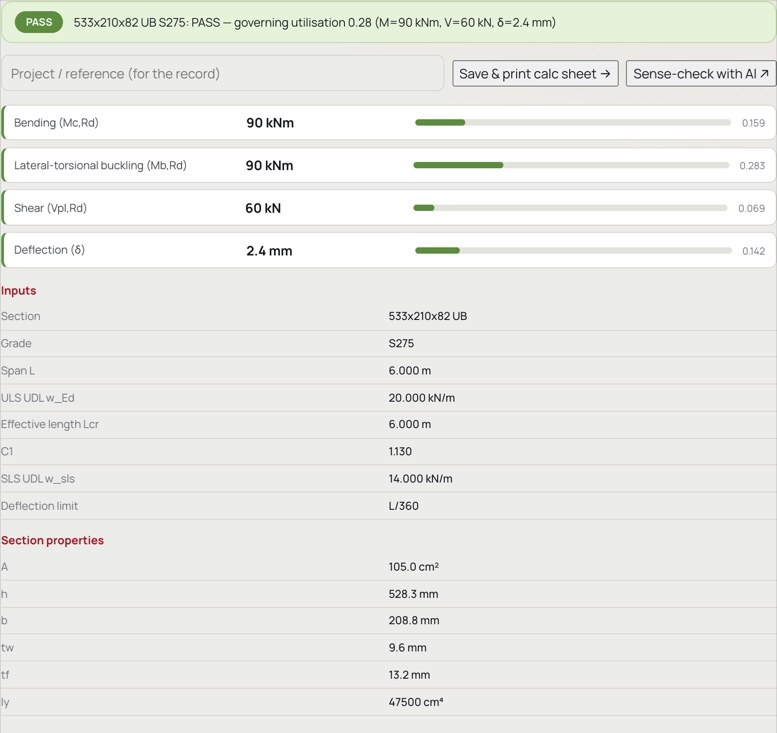
Not a black box and not a spreadsheet. Every calculator names the clause it is working to, prints the formula with your numbers substituted into it, and gives a utilisation you can argue with.

  • Nine disciplines: 15 steel, 9 concrete, 9 foundations, 9 loads, 5 timber, 3 masonry, 2 civils, 1 dynamics, 1 sustainability
  • Forty-seven of the fifty-four cite a BS EN part directly. The rest work to SCI, CIRIA, BRE, PD, NHBC, IStructE, LETI and RICS guidance where the Eurocode is silent, and say which
  • Every check carries its clause reference and its substituted arithmetic, so it can be marked by hand
  • A calculator that cannot evaluate a mandatory limit state says NOT CHECKED. It never quietly passes
  • An unevaluated limit state is coloured purple on the sheet, deliberately neither the grey of an informational note nor the red of a fail, so it cannot be mistaken for either
  • Feed one calculation into the next: bind a beam's end reaction to a padstone, and the padstone's load to a column, and editing the beam cascades the whole chain
  • How the calculators are checked is stated inside the app, in plain words, including what that check cannot prove
A calculation sheet showing the clause reference and the formula with numbers substituted

The clause, the formula, your numbers, and a verdict.

Calculation sheets

A check is worth something once it has a date and a name on it.

The sheet the app prints is built for issue, not for the screen.

Your practice at the top

Your practice name and your own logo head the sheet, with your accent colour carried through it.

Sign-off table

Engineer of record and checker, filled from your settings, with signature boxes to sign.

Reference, revision, status

Calc reference, revision, and a document status of Preliminary, For comment, For construction or Superseded, carried onto the sheet.

Checks, then working, then limits

A checks table with clause, value, capacity, utilisation and verdict, then the full calculation, then the assumptions and limitations the tool declares for itself.

A real PDF

Printed through the Mac's own PDF engine, and saved as a record you can find again.

Your brand, honestly

Your name and logo lead the page. An "Engineers Digital Hub" credit stays in the header sub-line and the footer, so it is your-brand-first rather than pure white label.

Frames and models

Solved on your own machine.

Neither of these is trying to be your analysis package. Both are there for the check you want in the next ten minutes.
  • Linear-static 3D frame analysis by direct stiffness, using a 12 degree of freedom beam-column element with axial, two-axis bending and St-Venant torsion
  • Eighteen worked presets to start from: portal, two-bay portal, pitched portal, three-storey frame, continuous beams, cantilevers, parapet posts, lighting column, sign gantry, crane gantry beam
  • Build the model in tables rather than typing JSON, with the raw model still there if you want it
  • Deformed shape and bending-moment diagrams, nodal displacements, support reactions, and a static equilibrium residual check on every run
  • Save the whole analysis as a PDF
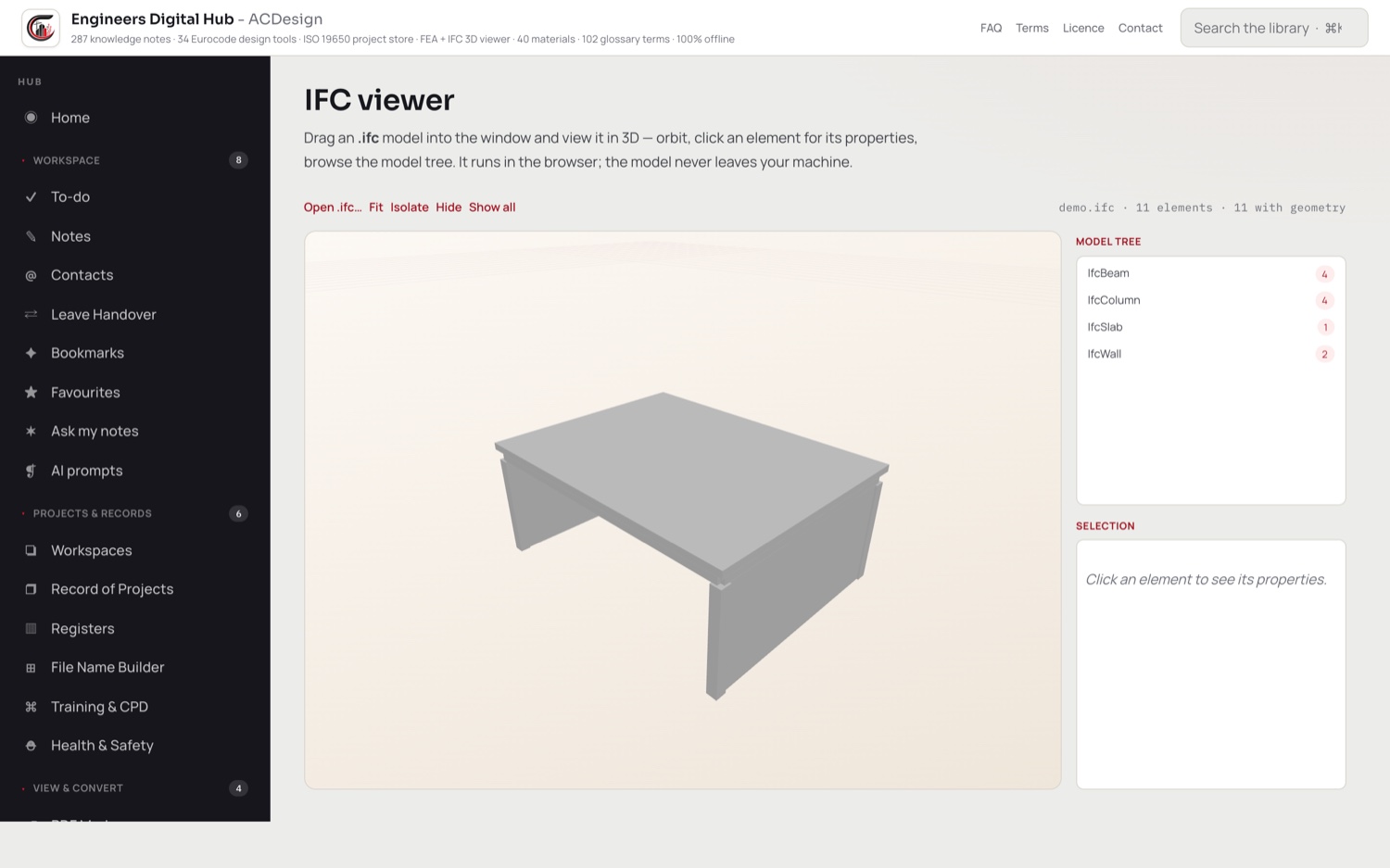
  • Drop an IFC2x3 or IFC4 model in and orbit it, browse the element tree by type, click an element for its properties, isolate or hide what is in the way
  • The 3D engine is bundled, not fetched. The viewer works with the network off and the model never leaves the Mac
An IFC model open in the Engineers Digital Hub viewer on a Mac

Drawings

Mark up, compare revisions, lift the text.

The three things an engineer does to a drawing all week, without a second seat of anything and without uploading a thing.
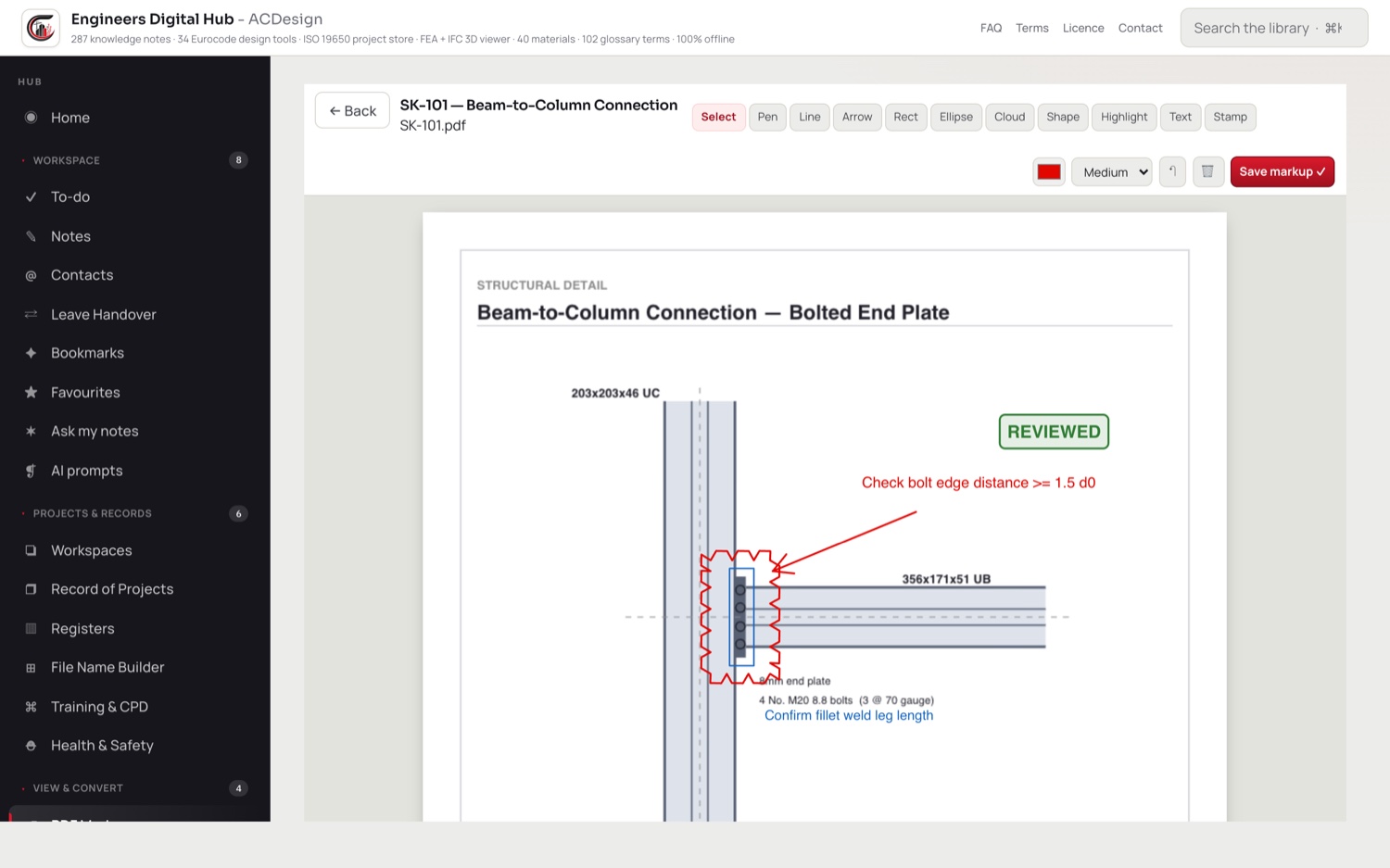
  • Ten markup tools plus a select cursor: pen, line, arrow, rectangle, ellipse, revision cloud, freeform shape, highlight, text and stamp
  • Review stamps: PASS, COMPLETED, REVIEW and NO
  • Colour, six line weights, zoom from 15% to 800%, fit-width and fit-page, undo and delete, and the markups flatten into a real PDF
  • Annotations are stored in PDF points at scale 1, so they stay where you put them at any zoom and after re-opening
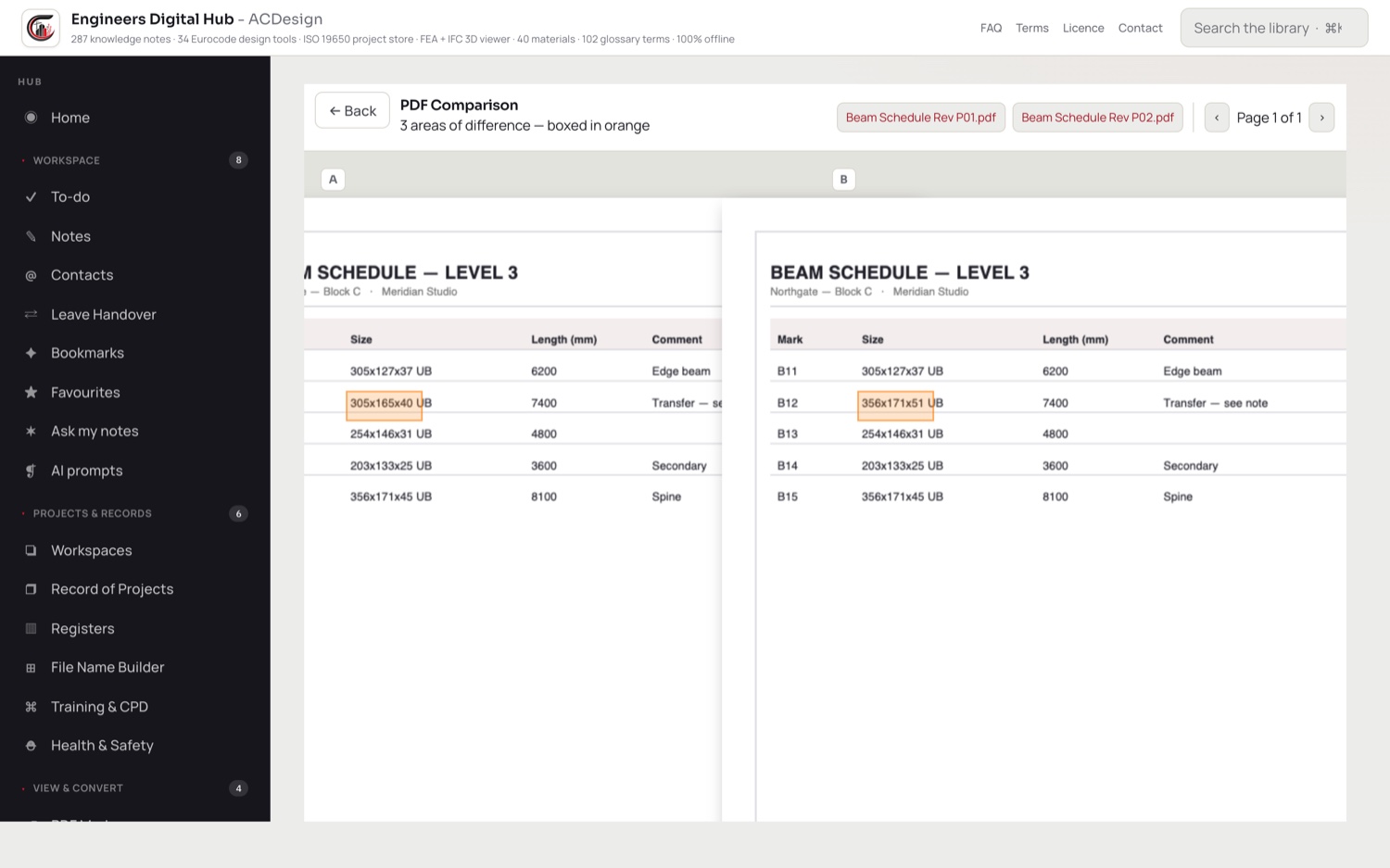
  • Open two revisions side by side and every area that changed is boxed, found by pixel comparison and clustered into regions
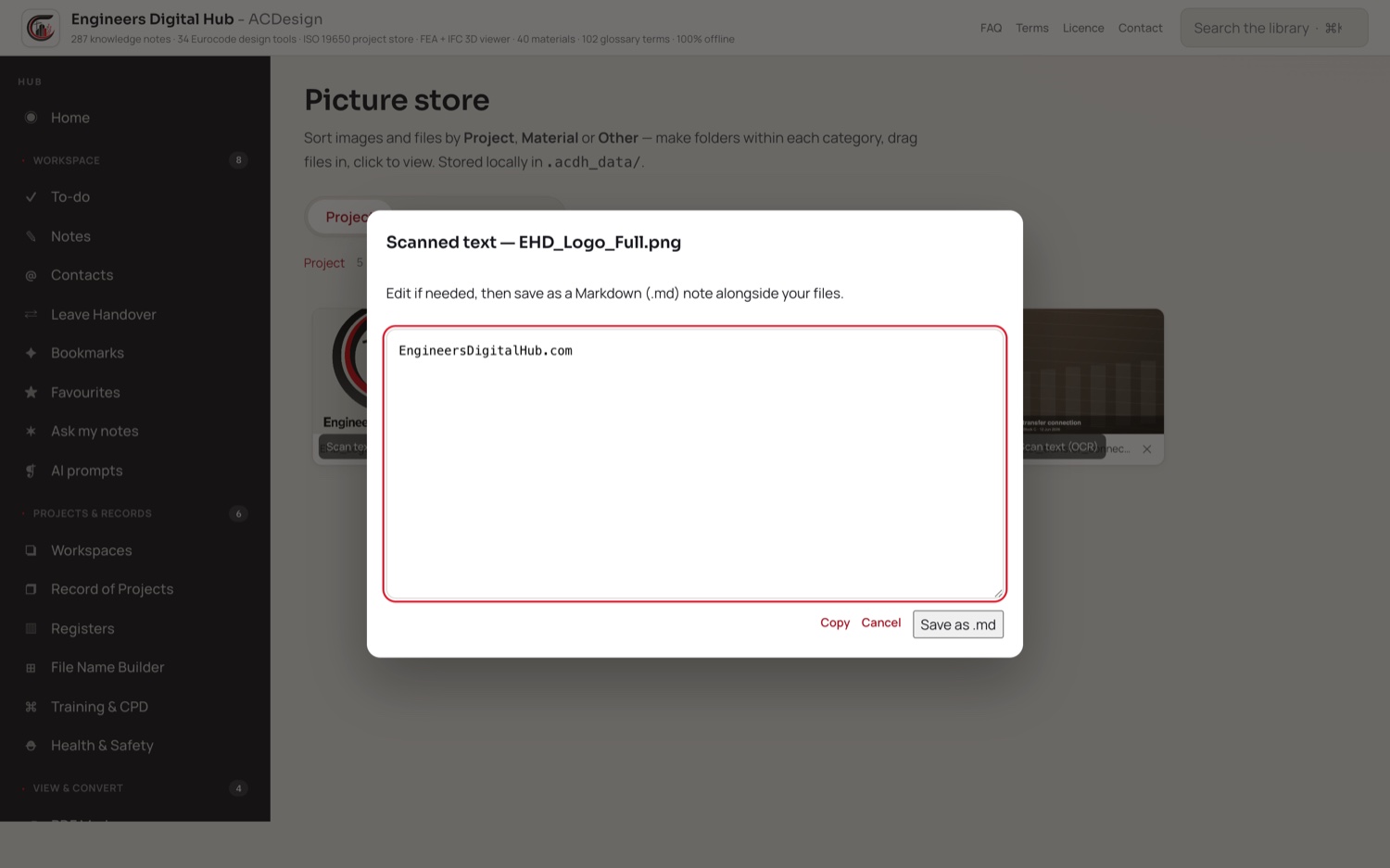
  • Pull the text off a photographed or scanned drawing with Apple's on-device Vision, edit it, and save it as a note
  • A picture store that sorts site photos and details by Project, Material or Other, with your own folders inside each
Two drawing revisions compared side by side with the changed areas boxed

Every area that moved between two revisions, boxed for you.

The reference shelf

What you currently keep in fifteen browser tabs.

All of it offline, all of it searchable in one window, and every table says where it came from.

2,053 steel sections

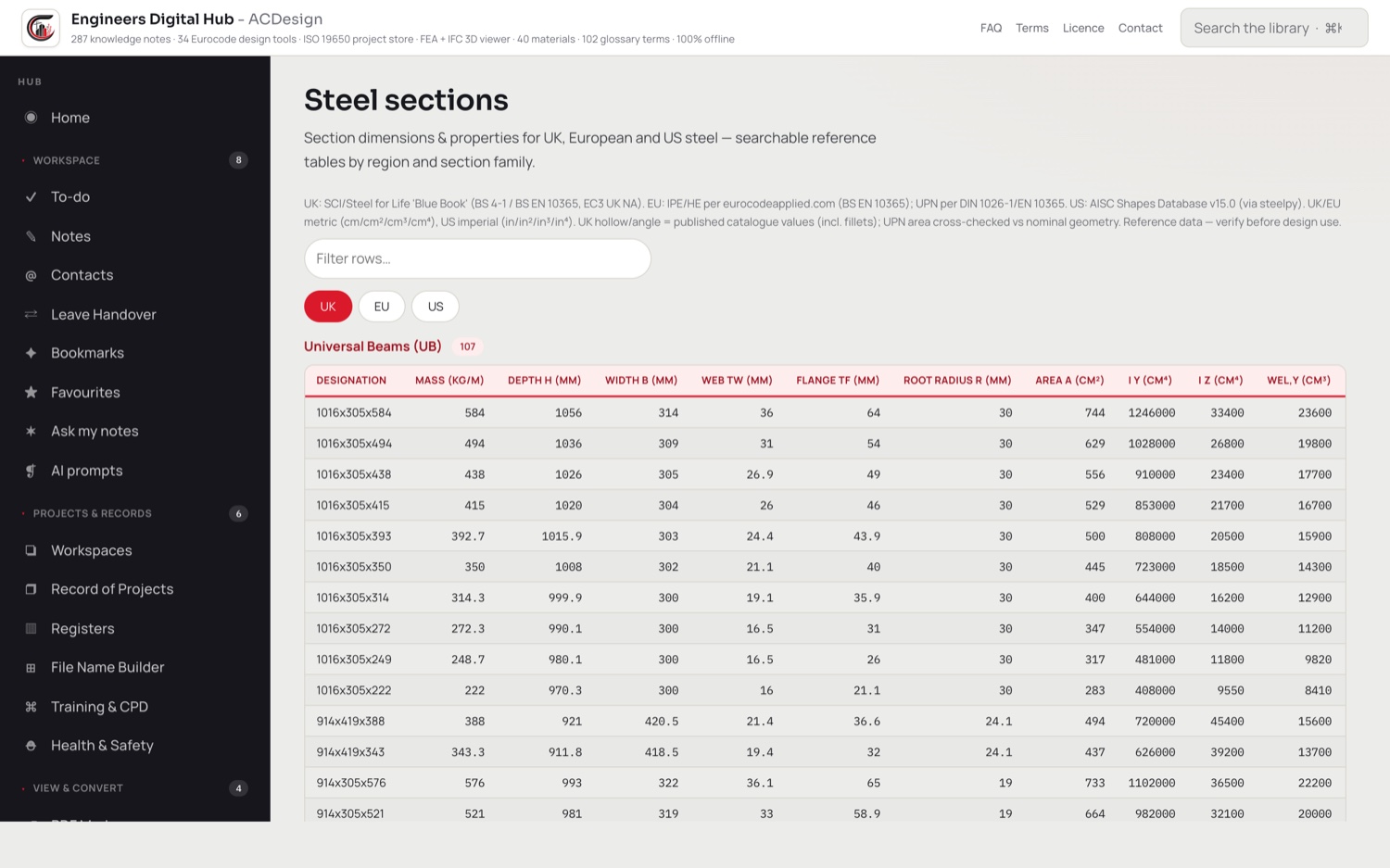
327 UK, 108 European and 1,618 US. UK from the SCI and Steel for Life Blue Book, EU per BS EN 10365 and DIN 1026-1, US from the AISC Shapes Database v15.0.

Timber and concrete

74 rows of timber sizes and strength classes to BS EN 336, EN 338 and EN 14080. 63 rows of reinforcement, mesh, concrete grades and nominal cover by exposure class to BS 4449, BS 4483 and EN 1992-1-1.

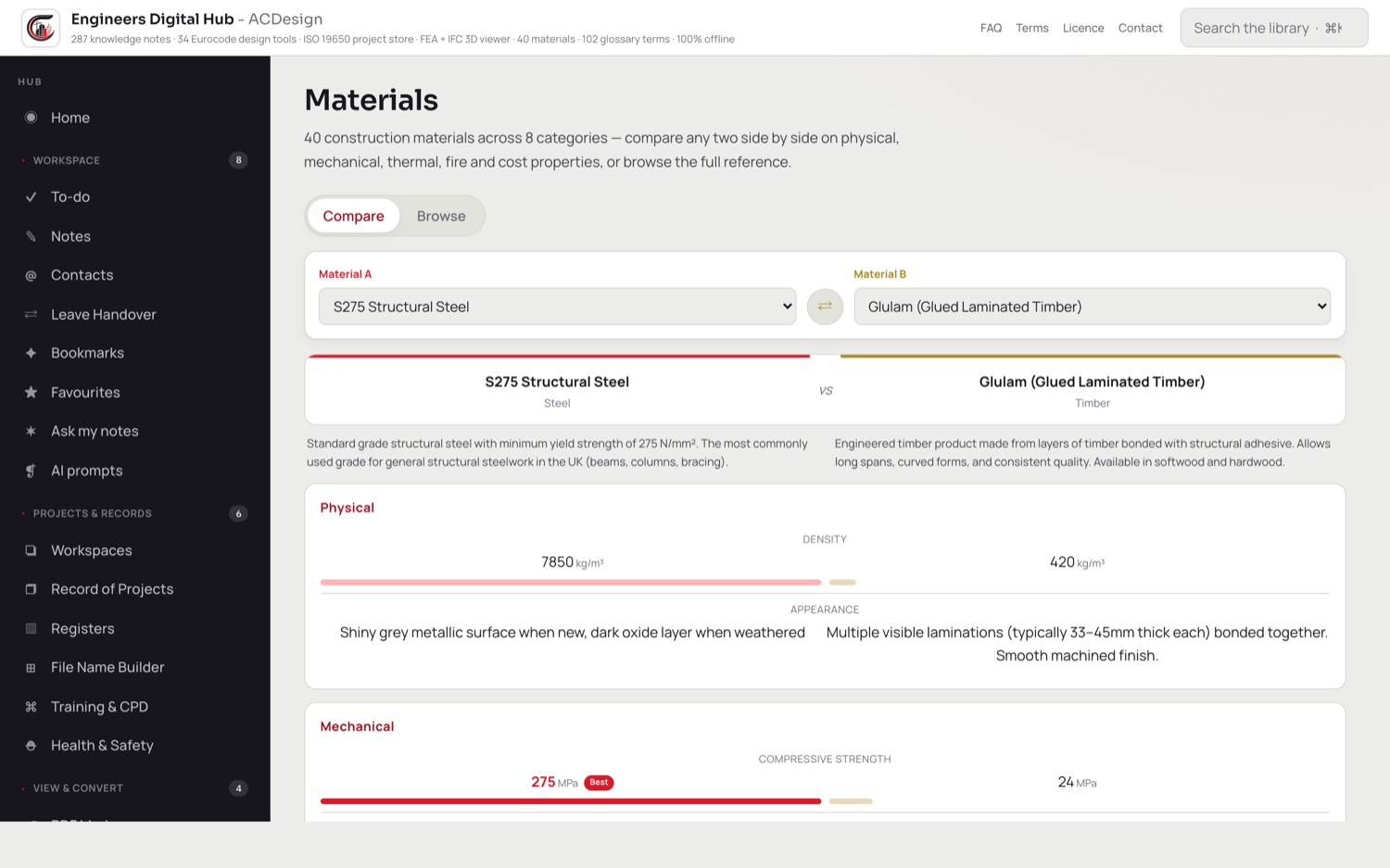
40 materials, compared

Eight categories, two at a time, on density, compressive and tensile strength, thermal conductivity, fire rating and resistance in minutes, design life and cost range.

287 knowledge notes

Design, the Building Safety Act, management, roles, documents and practice admin, with your own notes dropped into any category.

Ask your own notes

Ranks your knowledge base against a question with retrieval running entirely on the Mac, then hands you a grounded prompt to paste into whichever AI you trust.

214 prompts, by role

Ready to paste, in 15 folders, each tagged to a role level from Graduate to Associate or Director. Plus a 102 term glossary across 12 categories.

The paper side of the job

The part nobody sells software for.

The registers, the naming, the CPD hours and the handover you write at five o'clock on the Friday before leave.
  • Four registers: CPD log, RFI and TQ, risk register and site diary, each with its own fields and columns
  • An ISO 19650 file-name builder driven by controlled code lists: 32 document types, 24 roles, 8 originators
  • Generate a whole drawing and document register in one pass, named sub-series each mapped to a type and role with a start number and a count, then export to CSV or copy the references
  • Create a project from a built-in Common Data Environment template of 131 folders
  • A record of projects work log per job: dates, phase, client, status, progress notes and images
  • Leave handover: project, key contacts, dates, briefing, who you briefed and their role, exported as PDF or Markdown
  • Training and CPD logging with hours, provider, type and status, exported as a single PDF
  • Workspaces that bind to-dos, calc records and notes to a named job
  • A proper Mac menu bar with real shortcuts, including find in page, new note, export as PDF, print and search the hub
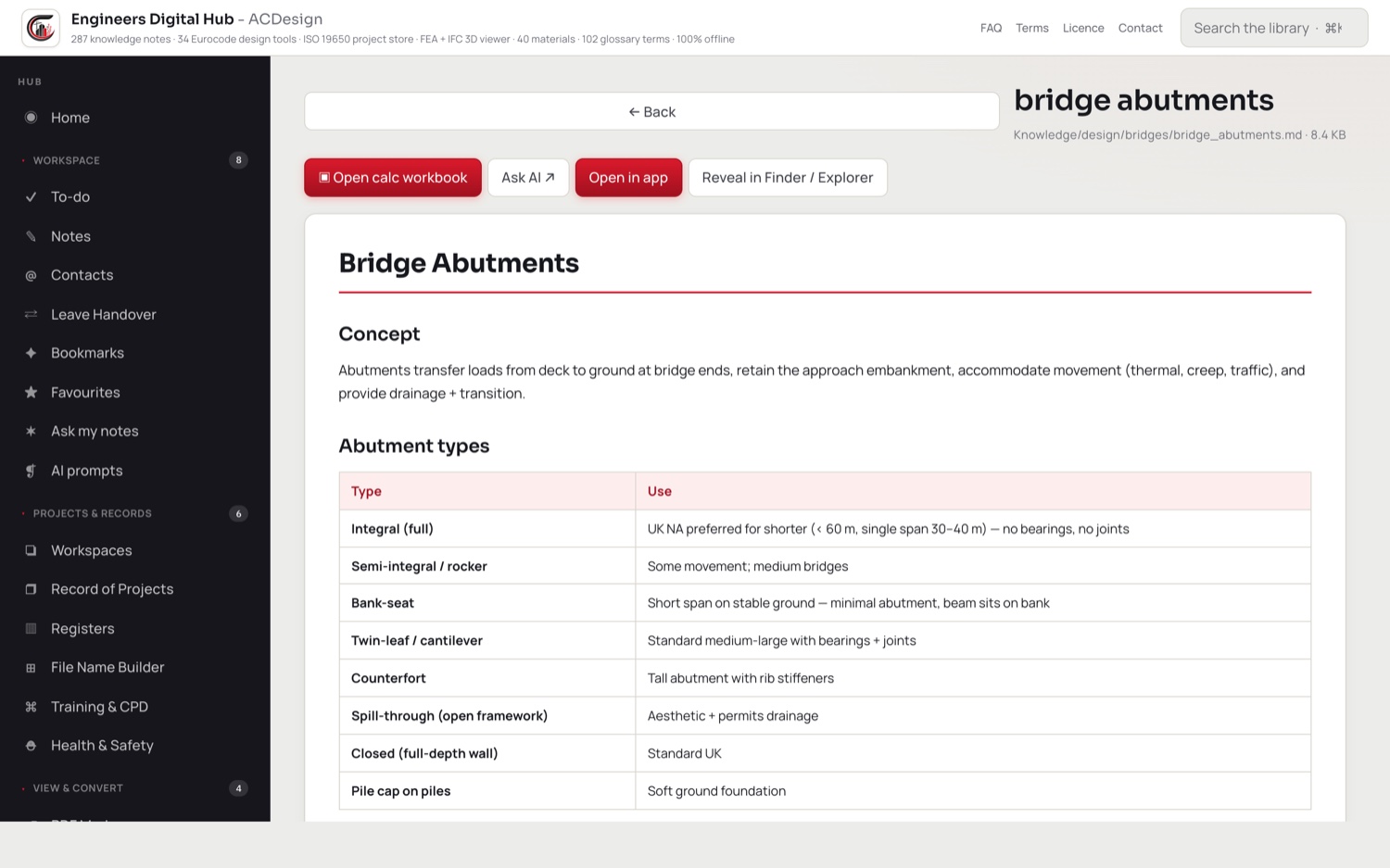
The knowledge base and registers in Engineers Digital Hub on a Mac

Privacy

Nothing leaves the Mac.

Not a marketing line about encryption. There is no server to encrypt anything to.

  • No account, no sign-in, no password field, and no server-side identity anywhere in the app
  • The whole interface, including the 3D engine, the PDF engine and the fonts, is served from inside the app bundle over a private scheme. There is no local server and no CDN
  • The privacy manifest declares no tracking, no tracking domains and no collected data types at all
  • Sandboxed, with only three entitlements: the sandbox itself, read and write on files you choose, and the network client the web view needs to start at all
  • Automatic local backups: a rolling ring of eight snapshots, written twenty seconds after any change and on a fifteen minute timer, plus a one-click full export
  • Clicking an external link hands it to your browser rather than loading it inside the app
  • If your subscription lapses, everything you made stays reachable. Your files, notes, records, registers, markups and picture store are never behind the paywall

What the desktop hub does not do

Checked against the shipped code rather than the plan. You would find this out in the first week anyway.

  • It does not sync between machines. No iCloud, no web access, nothing shared between your office Mac and your laptop. Moving your work means exporting the backup and restoring it.
  • The calculators are not independently verified. The build gate compares the engine against a separate port of the same formulas, which catches porting slips and regressions but cannot catch an error in the formula itself.
  • The frame solver is linear-static only. No dynamics, no modal analysis, no buckling, no second-order or nonlinear analysis, no plate or shell elements, and no member end releases.
  • It takes nodal point loads and member UDLs only. No point loads part-way along a member, no trapezoidal or triangular loads, no temperature effects, no settlement, and one load case at a time.
  • Hard size limits: 50 nodes, 100 members, 200 loads, 30 materials, 60 sections. A model over any of those is refused, not truncated.
  • Frame results do not flow into the design checks. Member forces have to be typed into a calculator by hand.
  • The IFC viewer is view-only. No editing, no export, no clash detection, no quantity take-off, no measurement, no sectioning and no federation.
  • OCR works on images, not on PDFs. A scanned drawing that arrives as a PDF gets no scan-text button.
  • No way to bind several calculations into one submission package. Each calculation prints as its own PDF.
  • The materials library carries no embodied-carbon figures. Carbon is a separate calculator you feed with quantities.
  • The eBooks, Engineering Notes and Training Library shelves ship empty. They are folders for files you import, not a bundled library of books.
  • You cannot point it at a network drive, Dropbox or OneDrive. It is sandboxed and keeps its data in its own private container.
  • The ISO 19650 register creates placeholder stubs inside the app's own storage, not real drawings in your firm's CDE.
  • There is no AI inside the app. Ask my notes retrieves from your own notes on the Mac and hands you a prompt; you paste it into the AI you use. Nothing is sent anywhere.
  • Spreadsheets are not converted to notes. Export to PDF or CSV first.
  • Mac only. EDH Pocket is a separate iPhone and iPad product with its own subscription.
  • One window. New note makes a note, not a second window, because two windows would share one store and overwrite each other.
  • It cites the standards, it does not reproduce them. The knowledge base is curated content, not a licensed copy of the Eurocodes. You still need the codes.
  • The glossary is a digital-construction and sustainability glossary, not a structural-engineering dictionary.

Pricing

Free to download, and a lot of it is free forever.

Your own files, notes, to-dos, contacts, registers, project records, handovers, picture store, PDF markup, AI prompts, glossary and the knowledge base cost nothing. Two of the fifty-four calculators run free so you can try the engine first.

£9.99 / month or £99.99 / year · 14 days free · launch pricing
  • One subscription group, so monthly and annual can be switched without paying twice
  • The trial is one per Apple Account
  • Billed and cancellable through the Mac App Store

Introductory launch pricing until 1 October 2026. From then the hub rises to £19.99 / month and £149.99 / year for new subscribers. Subscribe before then and you keep the launch rate for as long as you stay subscribed.

Specification

PlatformmacOS only, on the Mac App Store
RequiresmacOS 14 Sonoma or later
ArchitectureUniversal, Apple silicon and Intel
Calculators54 across nine disciplines
SolverLinear-static 3D frames, on the machine
OfflineEverything. No account, no server, no CDN
BackupsRolling ring of 8 local snapshots, plus a full export
SyncNone. Move work by exporting and restoring

Screens

One window, and the whole week in it.

Tap any of these to see it full size. These are the app as it ships.
The hub home screen
The hub: everything reachable from one sidebar
A calculation with full working
The clause, the formula, your numbers, a verdict
Steel section properties
2,053 steel sections, sourced and cited
Two materials compared
40 materials, compared two at a time
An IFC model in the viewer
IFC models, orbited on your own machine
PDF markup
Ten markup tools, flattened into a real PDF
Two drawing revisions compared
Every area that moved between two revisions
Text lifted off a drawing
Text pulled off a scan, on the device
The knowledge base
287 notes, and your own dropped in beside them
The design tools
The calculators, grouped by discipline