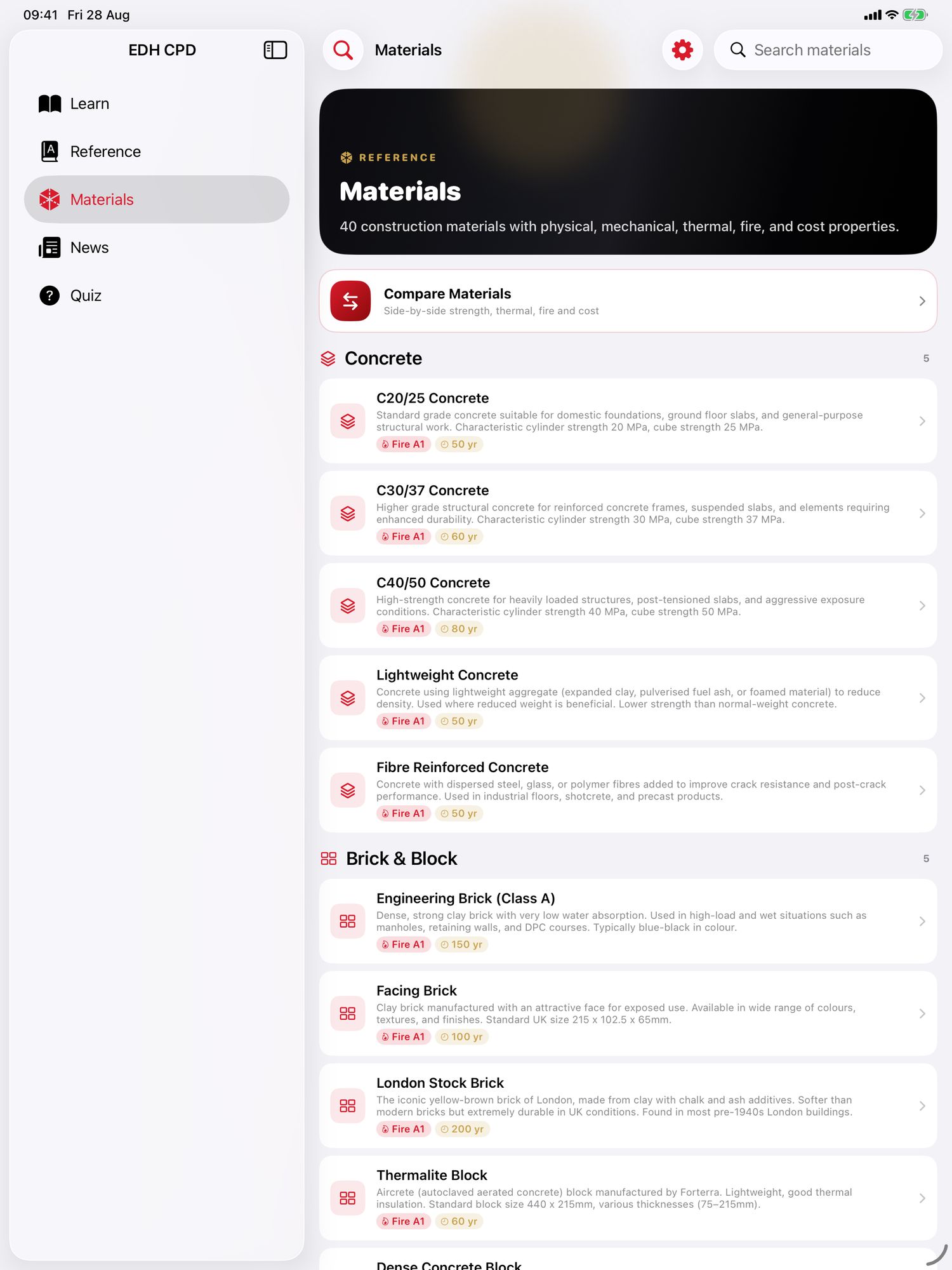
CPD for Construction Engineers · iPhone & iPad · Out now

CPD that writes itself down.

For engineers, architects, surveyors, site staff and students who do plenty of CPD and never quite get round to recording it. Read, sit a quiz, make a note, and the log fills itself in with a date against every entry.

Completely free No account No ads

Free Every feature included. No subscriptions, no unlocks, no in-app purchases, no ads.

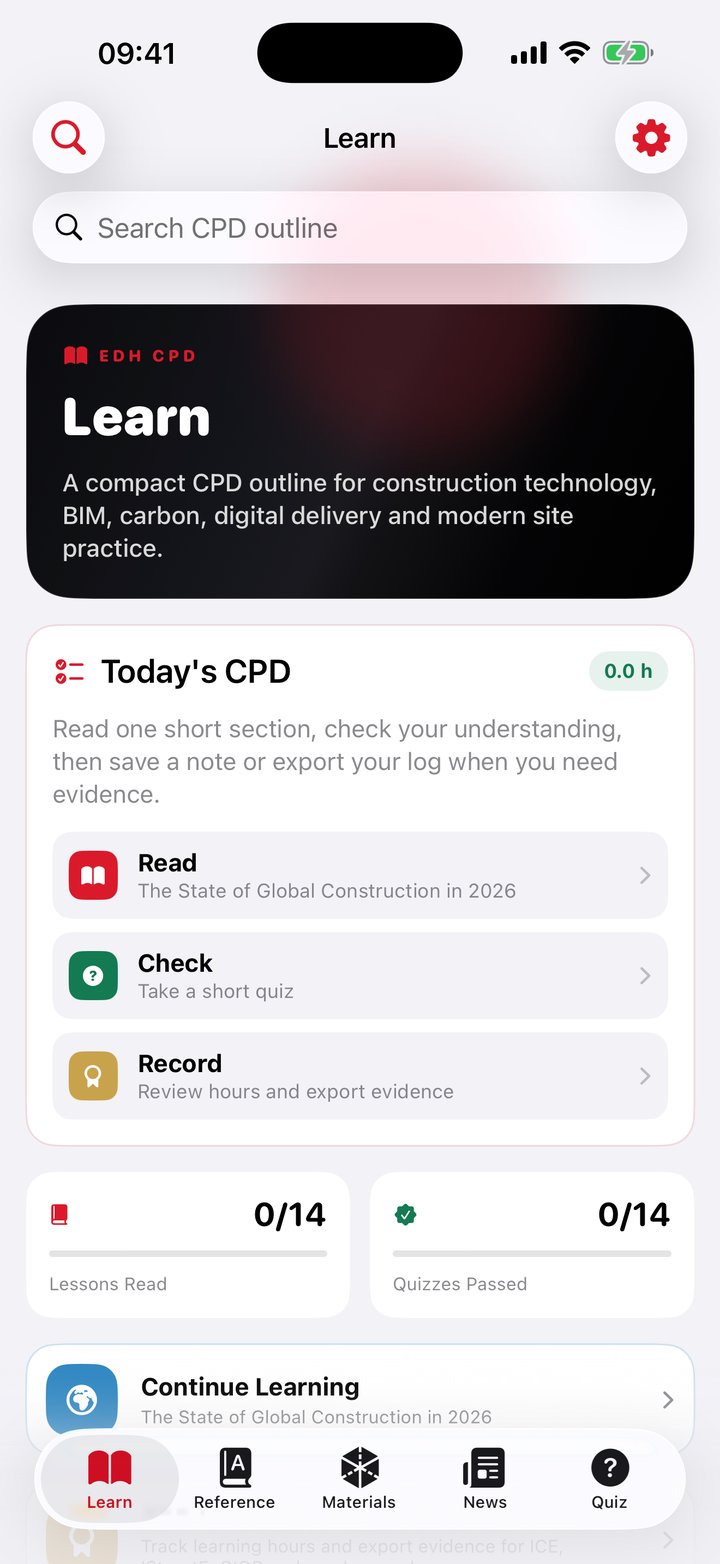
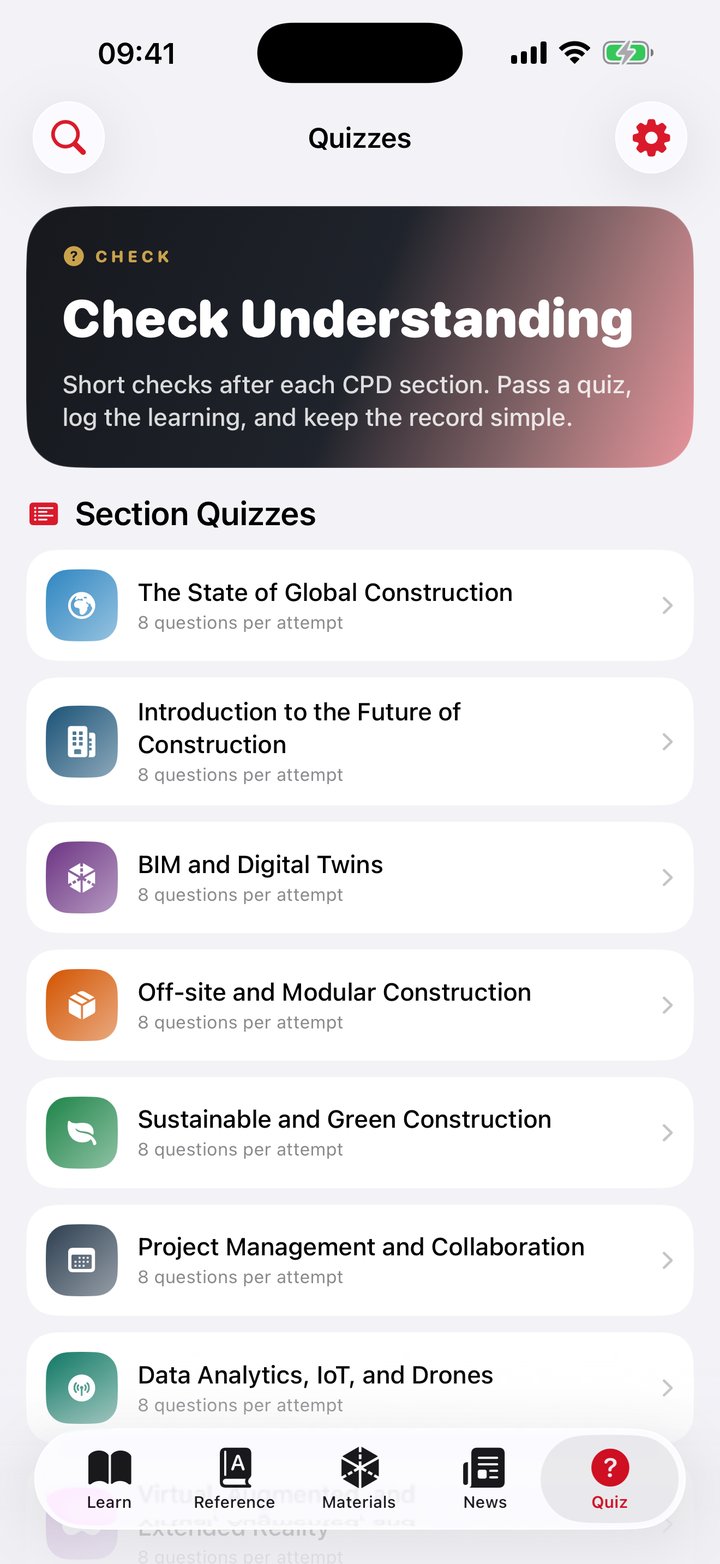
The Learn tab in CPD for Construction Engineers showing the chapter list A quiz question in CPD for Construction Engineers with four options
14chapters, 56 sections
280quiz questions, 8 drawn per sitting
102glossary terms with spaced repetition
40materials, compared side by side
£0with no in-app purchases at all

The course

Fourteen chapters on the future of construction.

A structured, bundled outline rather than a feed of articles. It ships inside the app, so it reads with no signal.

  • From the state of global construction through BIM and digital twins, off-site and modular, sustainability, project management, data and IoT, XR, generative AI, robotics, whole-life carbon, skilled labour and regulation
  • 56 sections, four per chapter, roughly 9,700 words of written material
  • Every chapter closes with five CPD takeaways and linked key terms that jump straight into the glossary
  • Each chapter carries a reflection prompt: what changed in your understanding, where it affects design, delivery, risk or cost, and what you would check next
  • Chapters, glossary, materials and quizzes all work with no connection
A chapter open in CPD for Construction Engineers

Quizzes

Different every time you sit them.

Each chapter has a bank of twenty questions. A session draws eight at random and shuffles the answers, so a retake is a real retake rather than a memory test.

  • 280 questions in total: fourteen quizzes of twenty, every one with four options and a written explanation
  • Answer order is shuffled per question, so the right answer is never in the same place twice
  • The pass mark is 60 per cent, and the result is stored with your answers so you can see what you got wrong
  • A completed quiz writes a fixed fifteen minute CPD entry with the score in the notes

The CPD log

Five things get written down without you doing anything.

Reading a chapter, reading an article and working in the notebook are timed from the real elapsed time. A finished quiz writes a fixed fifteen minutes and a flashcard session a fixed ten, whatever they actually took. Everything else you add by hand, and the record says which is which.

Timed, honestly

A chapter is timed from the moment it opens to the moment you leave it. So is a news article, and so is the notebook. Leaving a chapter open while you do something else will count, and everything in the log can be edited or deleted.
A glance is not CPD

Timed sessions shorter than a minute are thrown away, and a notebook session has to run two minutes before it counts, so a mis-tap never becomes an entry.

Ten categories, by hand

Chapter Read, Quiz Completed, Learning Support Session, Document Analysis, Site Photo Notes, Standards Reference, Learning Path, Glossary Practice, Knowledge Notebook and Other Learning. All ten are available when you log an entry yourself.

Everything off the app, too

A course, a webinar, a site visit, mentoring: added by hand with date, duration, type and a reflection note, and editable afterwards.

Hours by year

The dashboard shows your hours by year with a per-category breakdown and the full dated log underneath it.

Read, do not just open

News reading is measured, not awarded. Time is counted only while the article is actually open.

Evidence

Something you can actually hand over.

Built to survive a reviewer looking at it, which means the dated entries travel with the total rather than a headline number on its own.

  • An A4 portrait PDF certificate with your name, role, the period covered, total hours and a breakdown by activity type
  • The itemised log is printed behind the certificate, 26 rows a page, oldest first, with date, activity, type and hours
  • The certificate is drawn as a real A4 PDF rather than a screenshot of the screen
  • It states on its face that this is self-recorded evidence to be checked against your scheme's requirements. It does not pretend to be accredited
  • A CSV export of the year's log, with a Source column marking each row as entered by hand or recorded in the app. Use that when you need to show a reviewer which is which
  • The CSV quotes commas, quotes and line breaks properly, and writes dates as yyyy-MM-dd in UTC with a decimal point, fixed regardless of the region the device is set to, so the file does not change shape on somebody else's machine

One calendar year at a time. The certificate and the CSV both cover January to December of whichever year you pick. There is no custom date range yet, so an April to March CPD year takes two exports.

A quiz result in CPD for Construction Engineers

Reference and daily practice

A glossary you actually revise.

A construction technology glossary with spaced-repetition practice on top, plus room for your own terms.
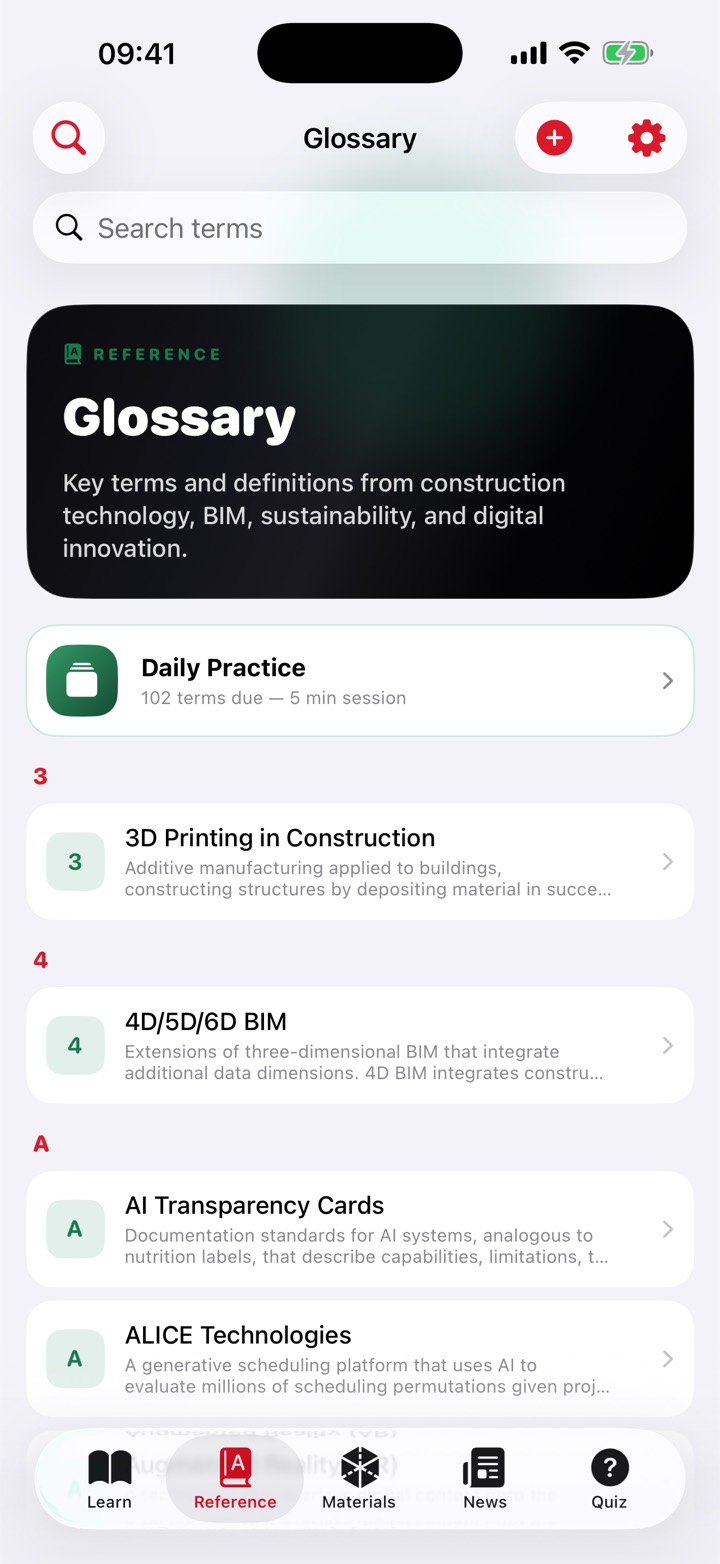
  • 102 terms across 12 categories, from AI and machine learning to regulation and policy, each cross-linked to related terms and the chapters it appears in
  • Daily Practice uses the SM-2 spaced repetition algorithm, up to ten cards a session, most overdue first
  • Add your own terms with a category and a source, and edit or delete them later
  • An optional AI Define button drafts a definition for a term you have typed, for you to check and edit before saving. It runs entirely on the device, needs iOS 26 and supported hardware, and where it is unavailable the app says so and you type the definition yourself
  • One search box covers chapter bodies, glossary definitions and your own notebook entries at once
The glossary in CPD for Construction Engineers

Materials, reading and notes

The three places CPD normally goes unrecorded.

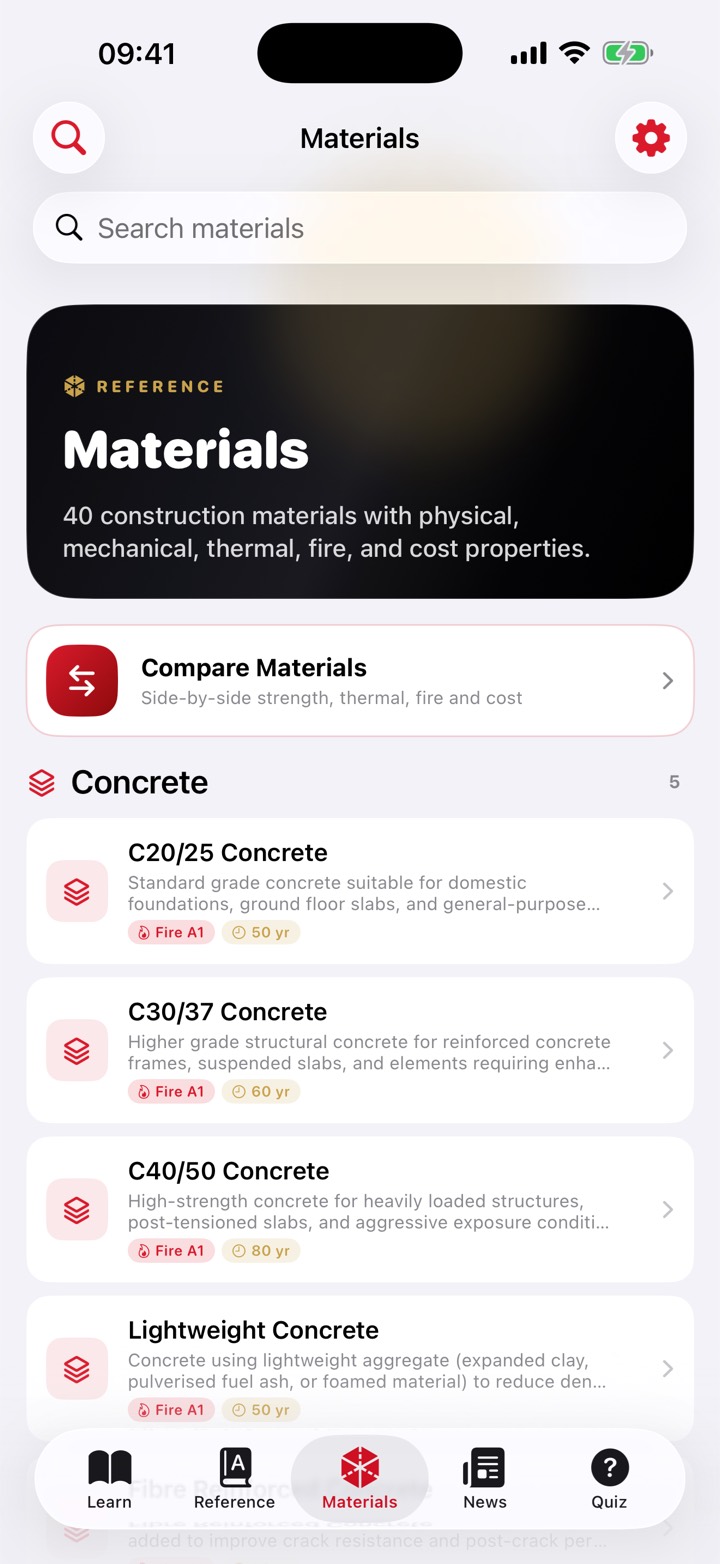
40 materials, compared

Eight categories of five: concrete, brick and block, steel, timber, insulation, roofing, glass, and waterproofing. Each carries density, compressive and tensile strength, thermal conductivity, specific heat, fire rating and resistance in minutes, design life, cost range, appearance, common uses and identification tips.

Pick two, row by row

Compare any two materials with the better value highlighted, according to whether higher or lower is preferable for that property.

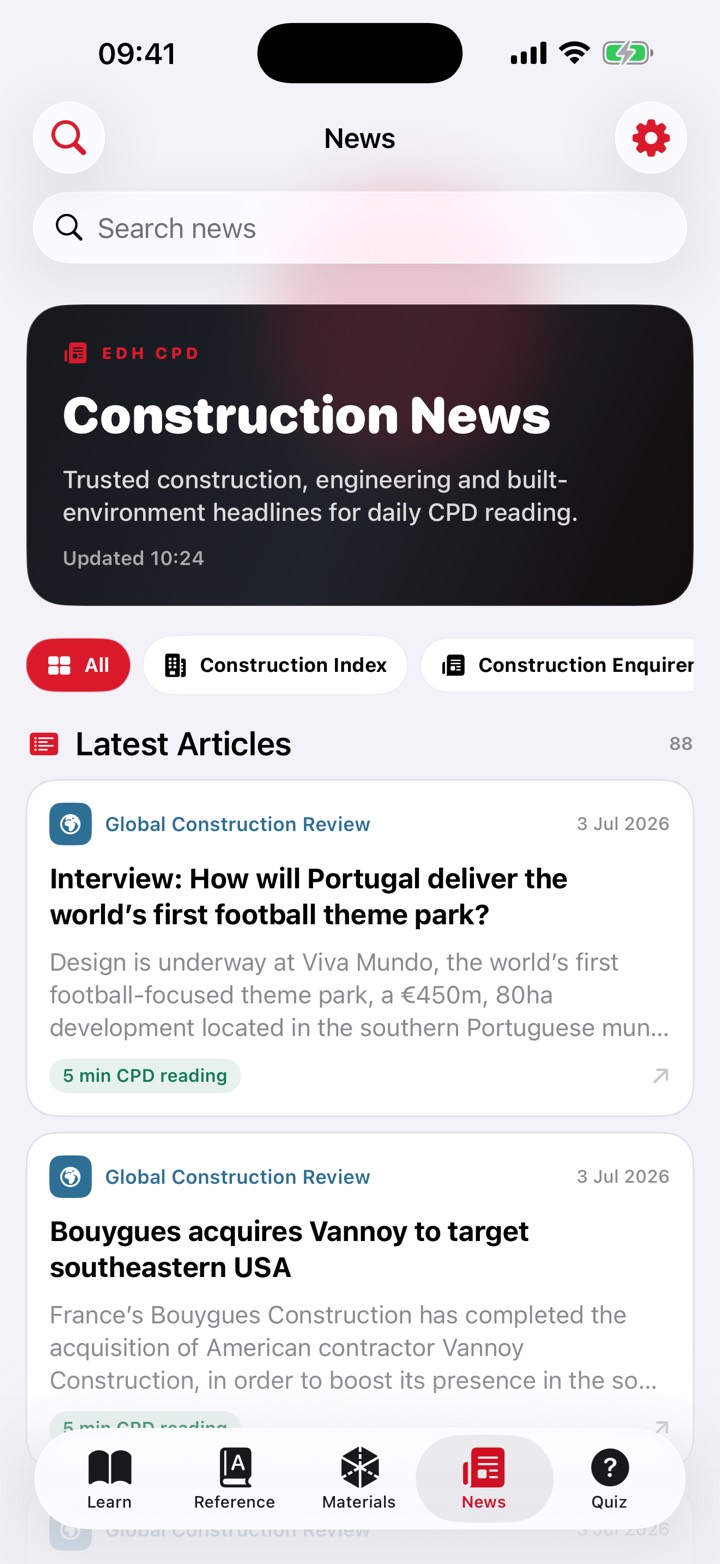
Four news feeds

Construction Index, Construction Enquirer, Construction Management and Global Construction Review, pulled from their public feeds. Articles open inside the app, and the time you spend reading is what gets logged.

A study notebook

Typed notes, a freehand sketch with Apple Pencil or a finger, photos from your library or the camera, and tags.

Notes export properly

Any note exports as a multi-page A4 PDF: a cover page with title, body and tags, then the sketch, then one page per photo.

A fact a day

A Home Screen and Lock Screen widget puts one construction industry fact in front of you each day, rotating through twenty. It needs iOS 26.4, and it shows the fact only, not your hours.

What CPD for Construction Engineers does not do

Checked against the shipped code rather than the plan. It is free, so there is nothing to sell you by leaving this out.

  • It does not log all ten activity types automatically. Ten categories exist and all ten can be chosen by hand, but only five are ever written by the app on its own, and only three of those are timed from real elapsed time.
  • No standards cards. That feature does not ship.
  • No learning paths, achievements or badges, despite Learning Path being one of the ten categories.
  • No AI chat or assistant. The only AI is a single Define button that drafts a glossary definition for you to check.
  • No document analysis and no site photo analysis, though both appear as categories. There is no scanner, no OCR and no document import.
  • Nothing syncs between your iPhone and iPad, and nothing is backed up to iCloud by the app. Records live on the device that made them.
  • The news tab needs a connection. Everything else works offline.
  • Picking your role at first launch changes nothing. It does not filter content, tailor chapters, or pre-fill the role on your certificate.
  • No streak display. The app counts consecutive days but never shows the number.
  • No reminders and no notifications. It will not nudge you.
  • No Shortcuts, App Intents, Action Button or Spotlight indexing.
  • Your own glossary terms are not in Daily Practice. Flashcards come only from the 102 bundled terms.
  • The certificate is self-recorded evidence, not accredited. It is not endorsed by ICE, IStructE or CIOB, and the document says so.
  • Not a Mac app, and not available as an iPad app on Apple silicon Macs.
  • iOS 26 or iPadOS 26 minimum, and the daily widget needs iOS 26.4.
  • No account, no sign-in, no team or employer dashboard. One person, one device, one log.

Pricing

Free, and we mean the whole thing.

Every chapter, every quiz, the glossary, the materials, the log, the certificate and the CSV. There are no in-app purchases in the app at all, no unlocks, no subscriptions and no ads.

Free every feature, for everyone

It is our way of putting something useful into the profession. If it saves you an evening of digging through your calendar in March, it has done its job.

Specification

DevicesiPhone and iPad
RequiresiOS 26 or iPadOS 26. The widget needs iOS 26.4
PriceFree, with no in-app purchases
Course14 chapters, 56 sections, 280 quiz questions
OfflineEverything except the news tab
AccountNone
SyncNone. One device, one log
ExportsA4 PDF certificate with itemised log, and CSV

Screens

All of it, and none of it behind a paywall.

Tap any of these to see it full size. Every feature shown is in the free app.
The Learn tab in CPD for Construction Engineers
Fourteen chapters, bundled and offline
A quiz question
Eight questions drawn at random from twenty
The glossary
102 terms, with spaced-repetition practice
The materials reference
40 materials, compared row by row
Industry news
Four feeds, and the reading time is logged
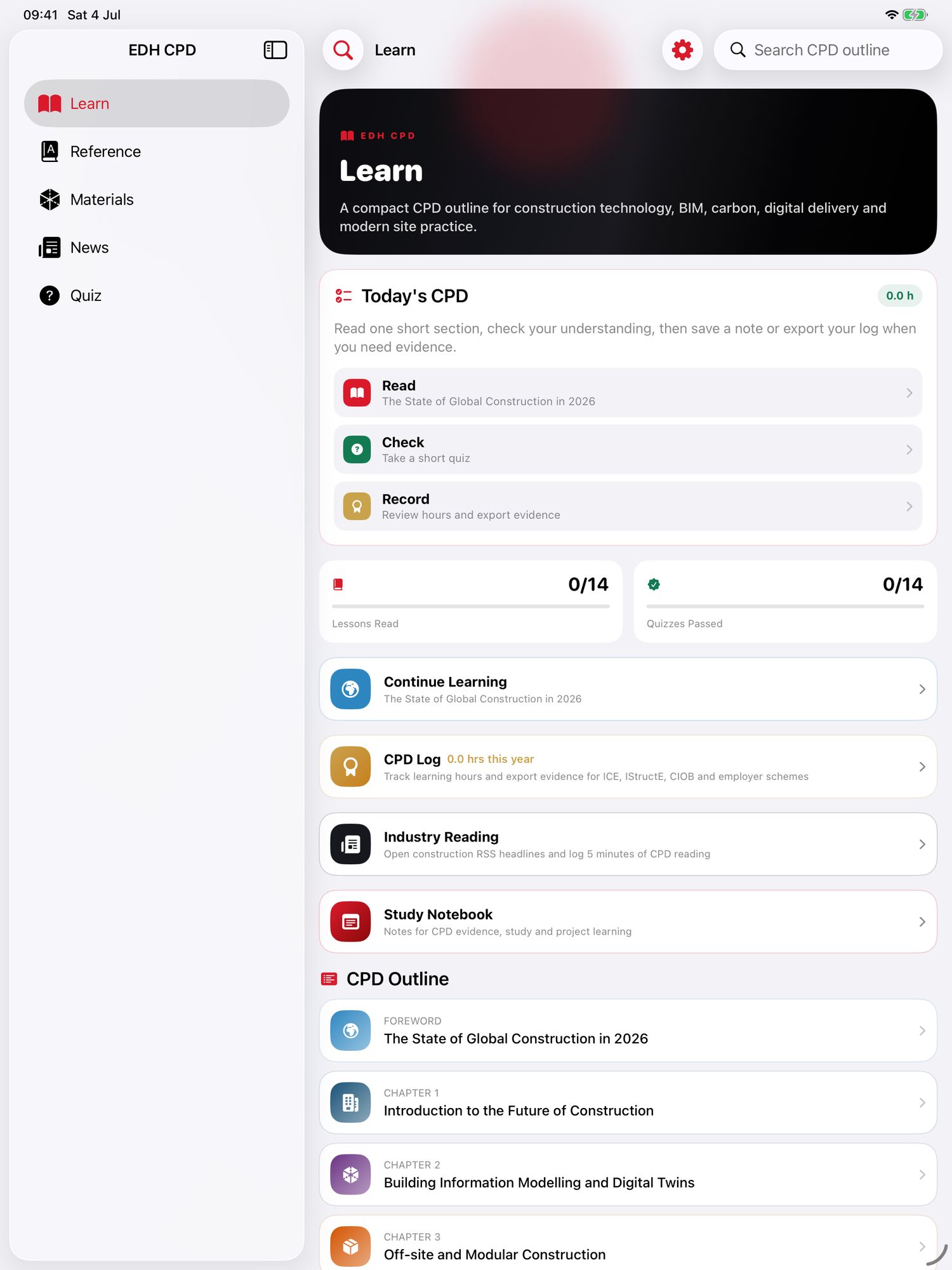
CPD for Construction Engineers on iPad
The same course with room to breathe, on iPad
Materials on iPad
Materials compared side by side on iPad